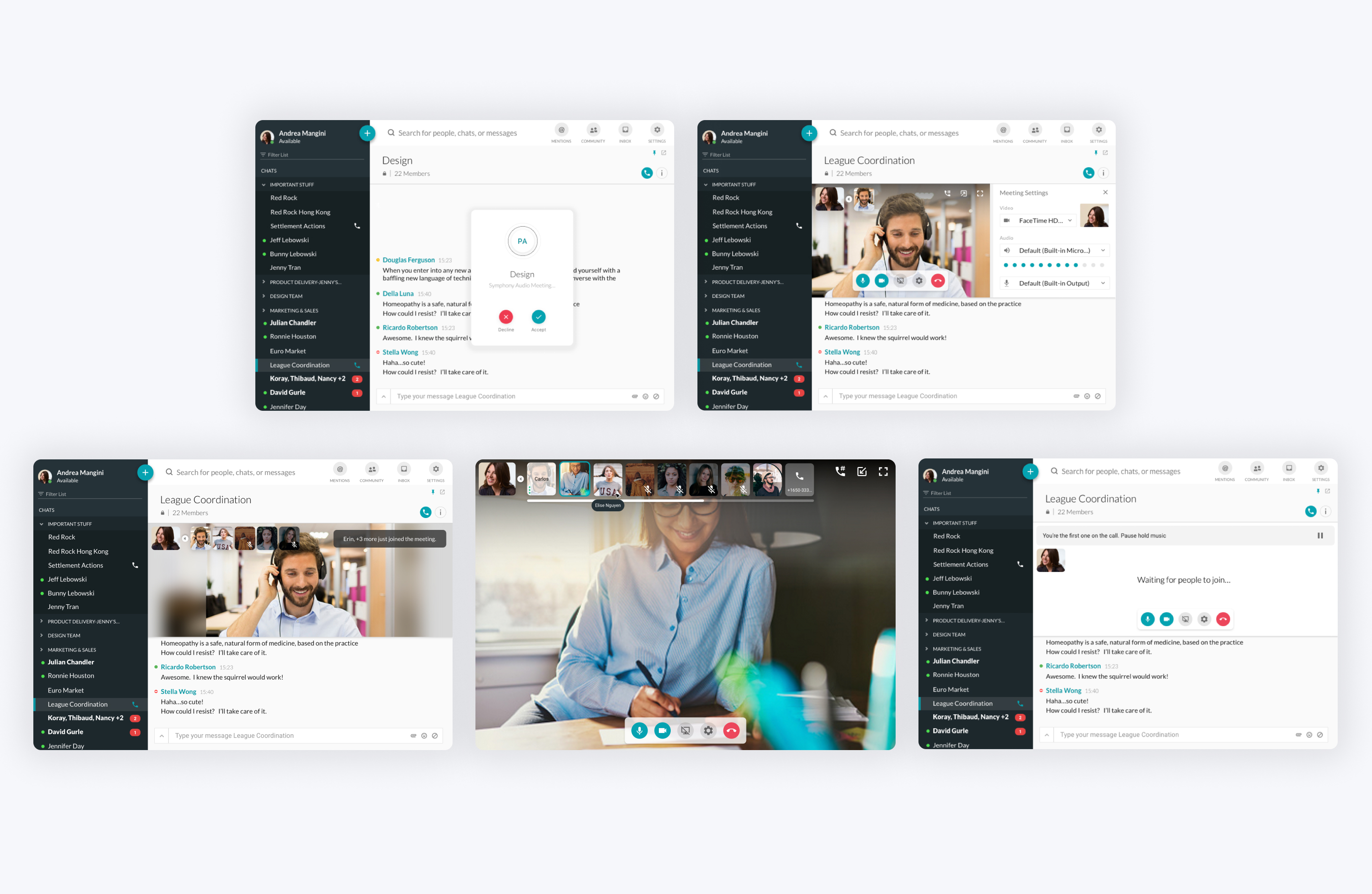
Symphony meetings

Company
Symphony
My Role
Product Designer
My timeframe
Jun 2015 - Feb 2018
Category
UX // UI design
Feature Image
Pic

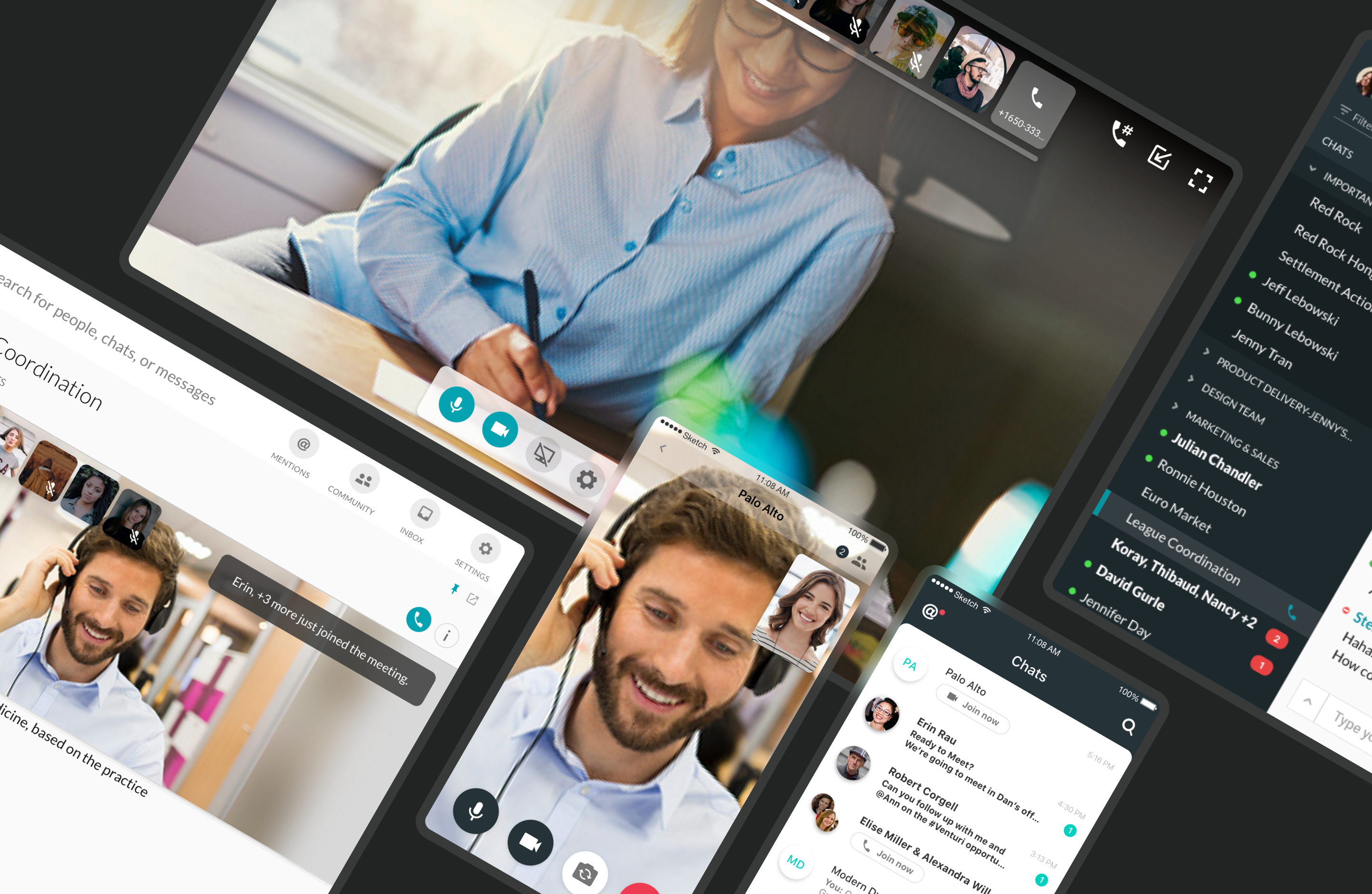
Symphony is a cloud-based and secure communication platform that allows businesses and professionals to exchange high-value content and information securely.

Brief

Symphony is a collaborative tool not only used for securely sharing documents and content but to easily communicate with internal and external teams by conduct meetings with conferencing and screensharing.

process

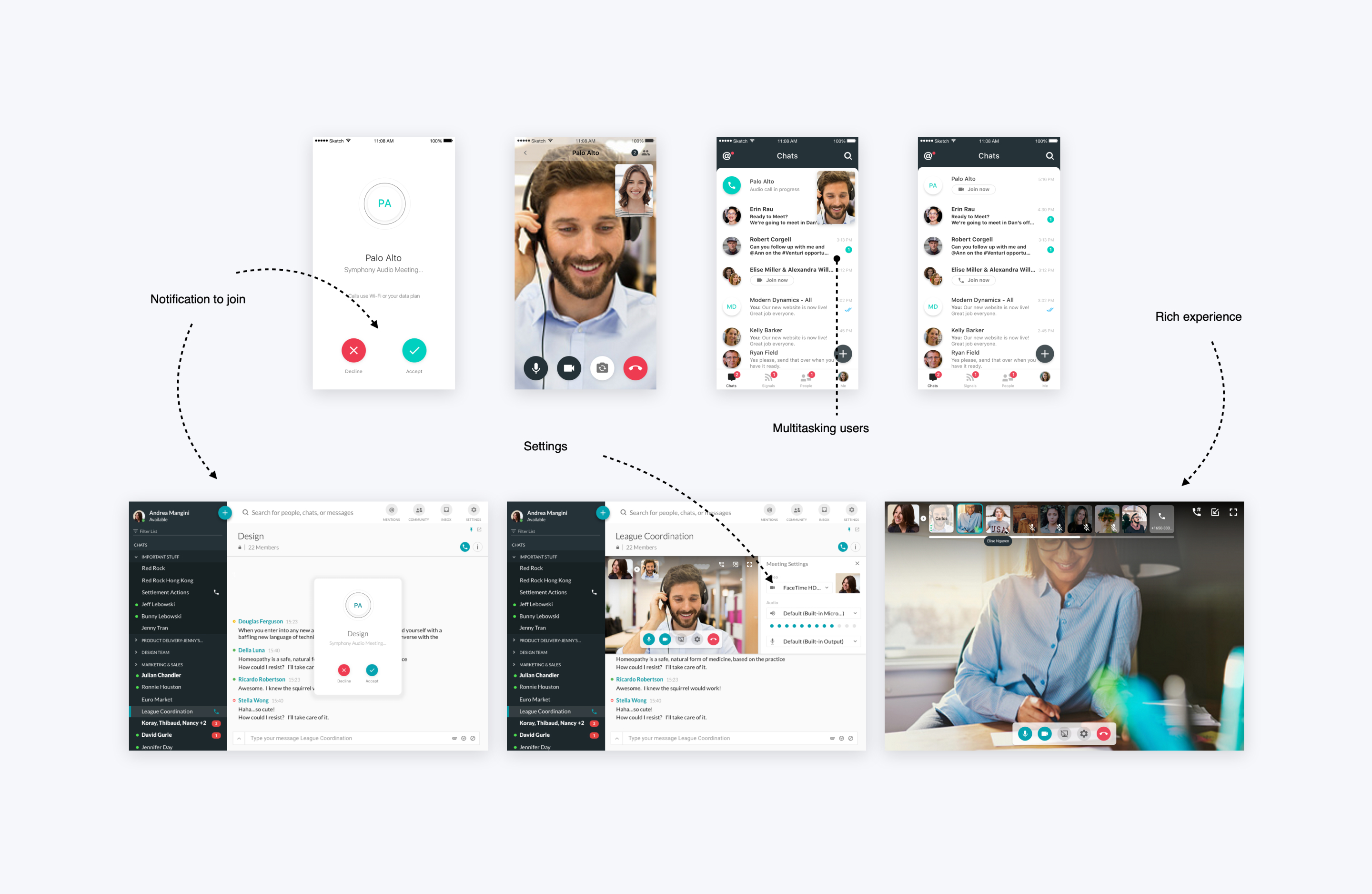
In the early stages of design, I assisted and designed webRTC deliverables across all platforms. Collaborated with the Senior UX Designer to improve the current webRTC experience across desktop. As roles changed, I took ownership of this project and led the full end-to-end experience.

Result

Bring communication and collaboration to life. Symphony users are now able to easily start a a meeting or conference with their colleagues, partners, and clients from where ever they are.
Project Image
Company goals
  • Be the “every day” communication platform by being central to our users’ workflow
  • Make workflow within and across companies seamless, simple and pleasant
  • Transform the work life of current and nextgen users by introducing intelligence, agility into our platform
  • Turn end-users into champions who refer us to colleagues and customers
  • Understanding our users

    Financial bankers - Sales & Traders

  • Cares about speed
  • Doesn’t want to learn anything new
  • Lives in Bloomberg
  • Works with 6 monitors on his desk, and can’t move from his desk while working
  • Moves millions in seconds
  • Goals & Key Values
    Easy access to real-time, up-to- the-minute news, quotes, and company financial news (earnings, news events, research reports, ownership changes, estimates) Integrity, accuracy and timeliness of data

    Activities & Responsibilities
    A sell side publishing research analyst spends 1/3 time doing the analysis + reading to beef up knowledge, and 1/3 coming up with trade ideas (and sharing these with traders), and the last 1/3 of the time talking to clients.

    Symphony meeting's vision

    Integrated collaboration experiences that are easy to set up & discover with the broadest reach

    Understanding the problem

    In my approach to understanding the problem, I started by gaining insight into the current product's functionality and identifying any existing gaps. Additionally, I crafted user journey maps to provide insights into the users' workflow, conducted a competitive analysis by dissecting similar tools, and subsequently defined broken moments and potential opportunities for improvement.

    Current design issues
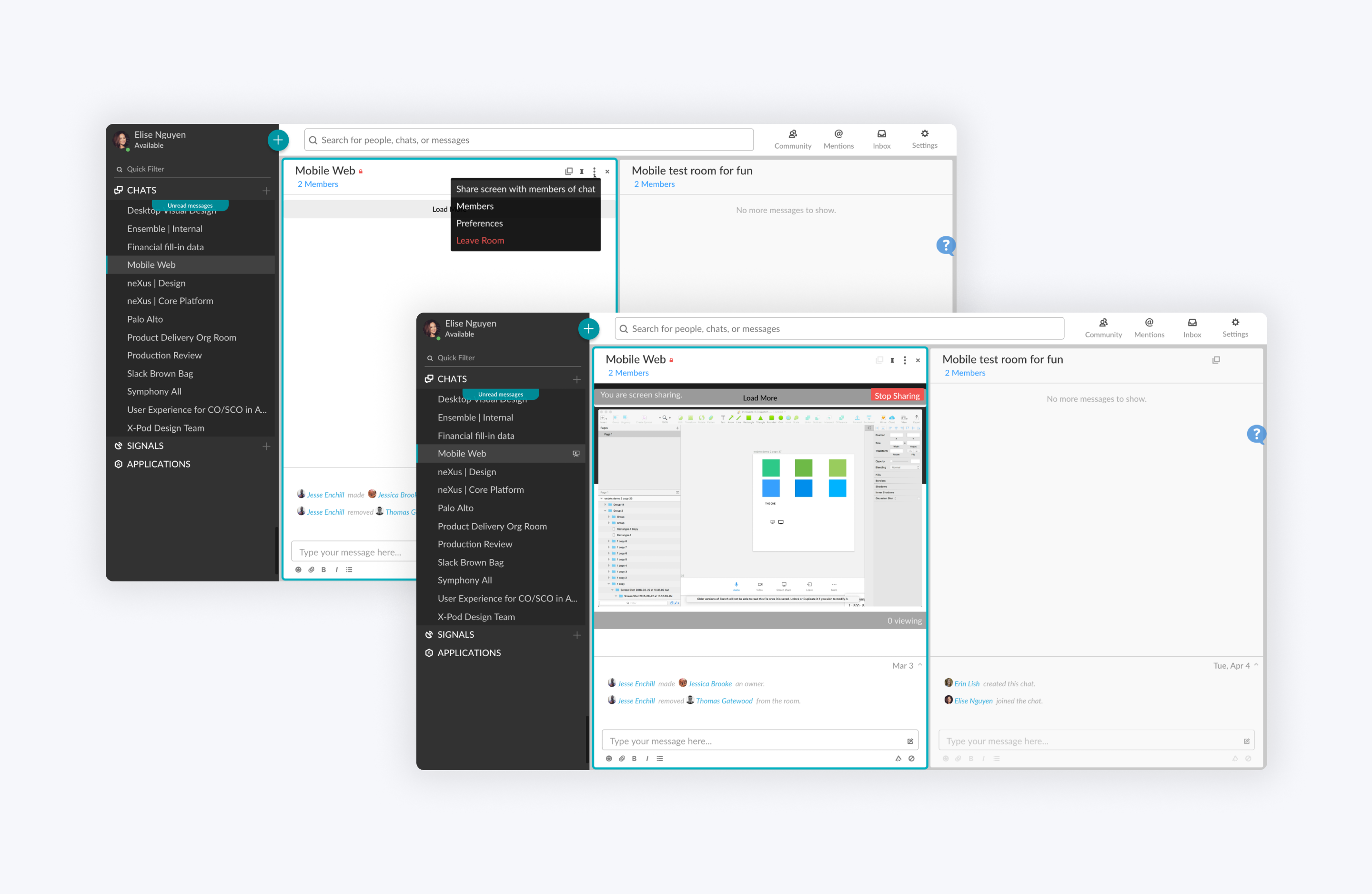
    The older designs, which existed before my involvement, had several limitations. They only supported screen sharing without video or audio capabilities. Additionally, they provided a very limited screen real estate for viewing shared content. In a competitive environment with numerous chat modules, much like what our clients were using, the screen sharing experience was notably challenging, often making it difficult to discern the content. Moreover, these designs lacked any form of multitasking functionality.

    Project Image

    User journey map
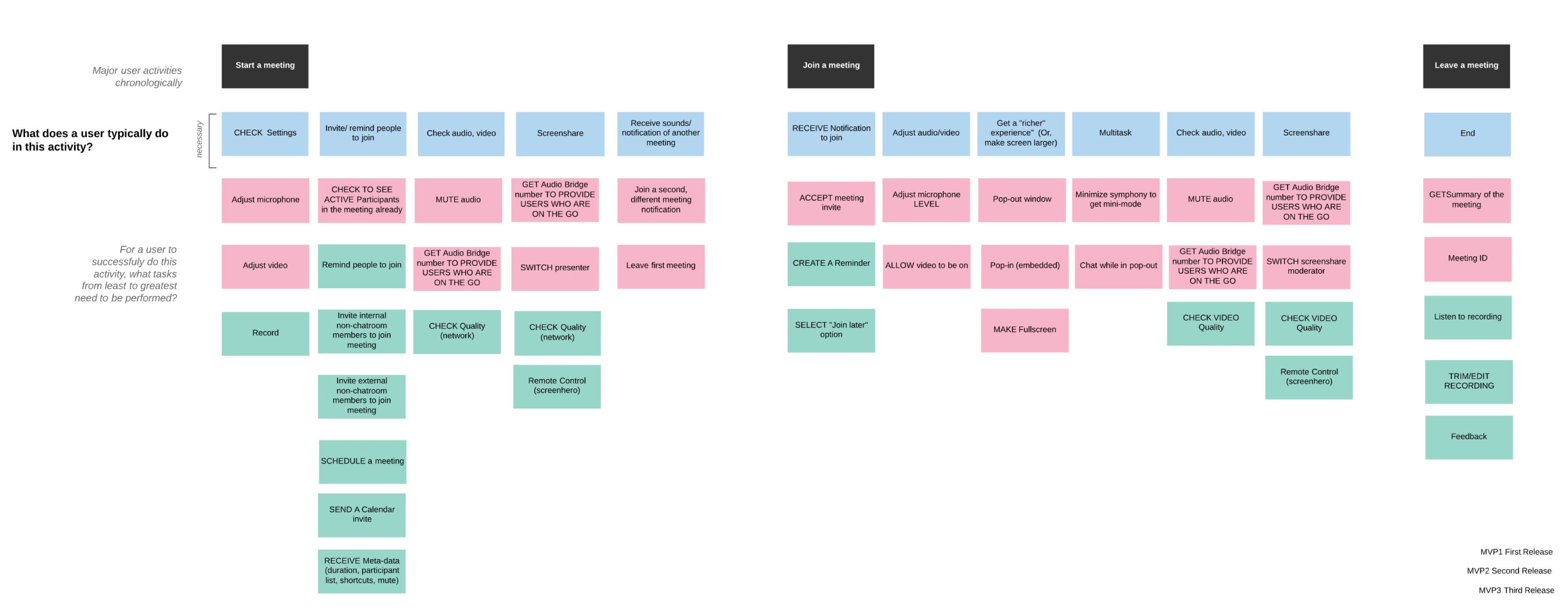
    I designed a user journey map to offer insight into the user's context, prioritize the critical MVP user flows, and chart the product teams' activities, ensuring we maintain a comprehensive record of ongoing developments.

    Project Image

    Competitive analysis
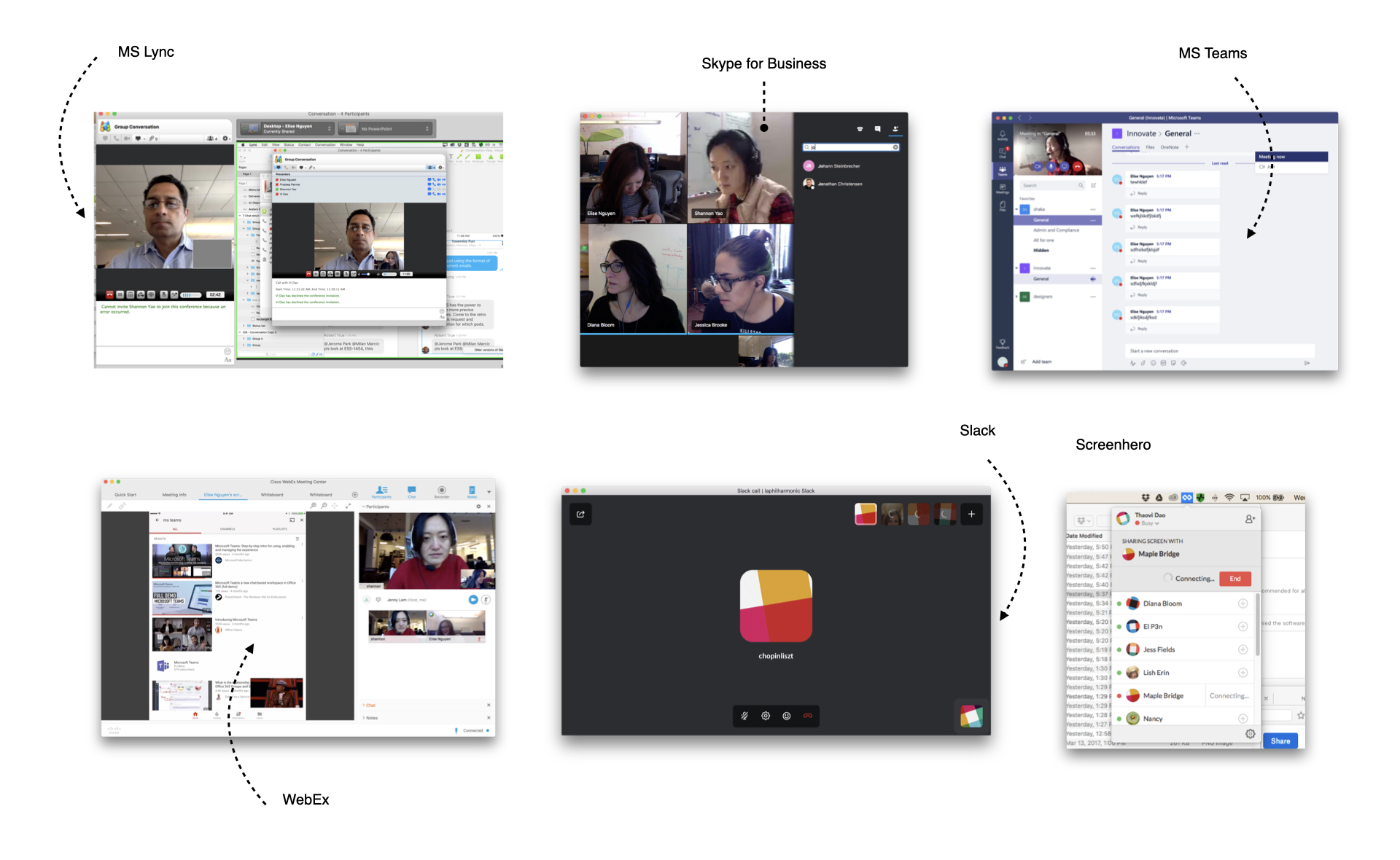
    I find that understanding competitive tools is crucial in my work as a UX designer. It enables me to benchmark my product, align with user expectations, identify industry trends, differentiate my offering, and craft a user-centered design.

    Project Image

    Broken moments: Life's just like that

  • “There is an echo. Someone needs to mute their mic.”
  • “Can you hear me?”
  • "I can't hear you"
  • “My video is frozen”

  • Opportunities for Innovations

  • “Can you see my screen?”
  • "What slide are you showing"
  • “Who’s just joined the call?" (phone bridge)
  • "I can't start a (rich) meeting from mobile"
  • Ideation & Wireframing

    Ideation is vital in my work as a UX designer because it fosters creativity, involves users, and leads to innovative, user-centered solutions. It also encourages collaboration, early feedback, and problem-solving, ultimately ensuring effective and satisfying user experiences.


    Project Image
    User testing

    We conducted user testing as part of our internal testing process during a recent visit to our NYC client. To facilitate the testing sessions, we prepared a moderator script and questionnaire. From user testing, we found some design gaps:

  • How do I know what camera / audio device I am using?
  • I only use the Screenshare - why do I see video and audio icons?
  • I can’t cancel my meeting.
  • I lost my meeting - am I still in this meeting?
  • Am I on mute? Who else is on mute?
  • How do I turn off the on-hold music?

  • Final designs

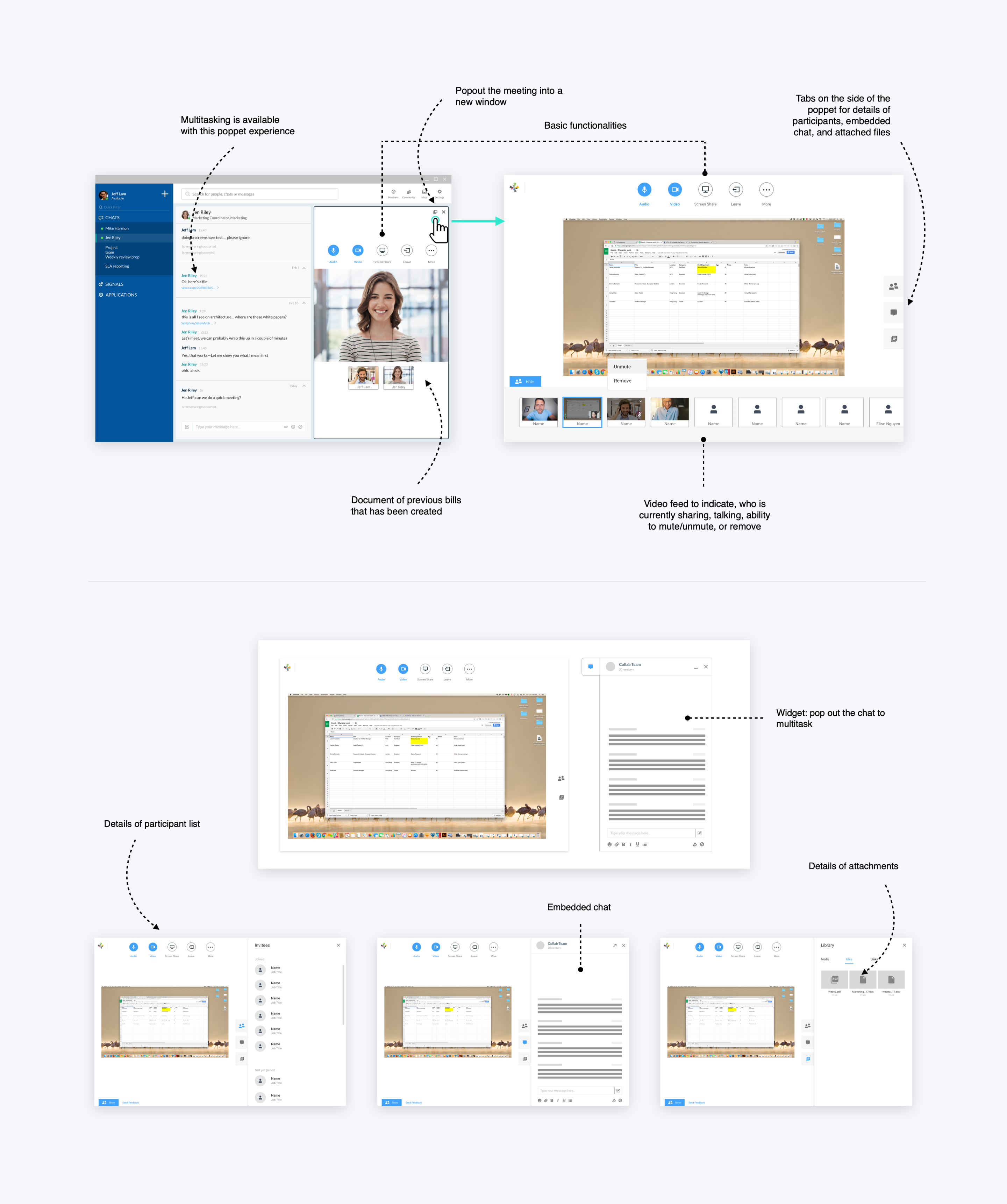
    Following the collection of feedback from users, leadership, and cross-functional teams, I arrived at the final designs.

    Project Image